In this guide
The first conversation at a municipal counter can shape everything that follows. A resident may know what they need but not the department's vocabulary. A staff member may know the service but not the person's preferred way to communicate. The useful starting point is the task and the communication need, rather than an assumption based on appearance, accent or how quickly someone answers.
This article is an independent practice guide for Phoenix employees and peer coaches. It does not replace departmental training, determine a reasonable accommodation or certify compliance. Phoenix's Citywide Accessibility Resources page describes resources across departments; the Equal Opportunity Department provides an official contact route for relevant questions. Use current authorized instructions in an actual service interaction.
Begin with the outcome the person wants
An opening question can invite the person to describe what they are trying to do. “What would you like help finding today?” leaves more room than naming a form before the task is understood. A resident who asks for an application may need information about a program, a correction to an existing record or help understanding a notice.
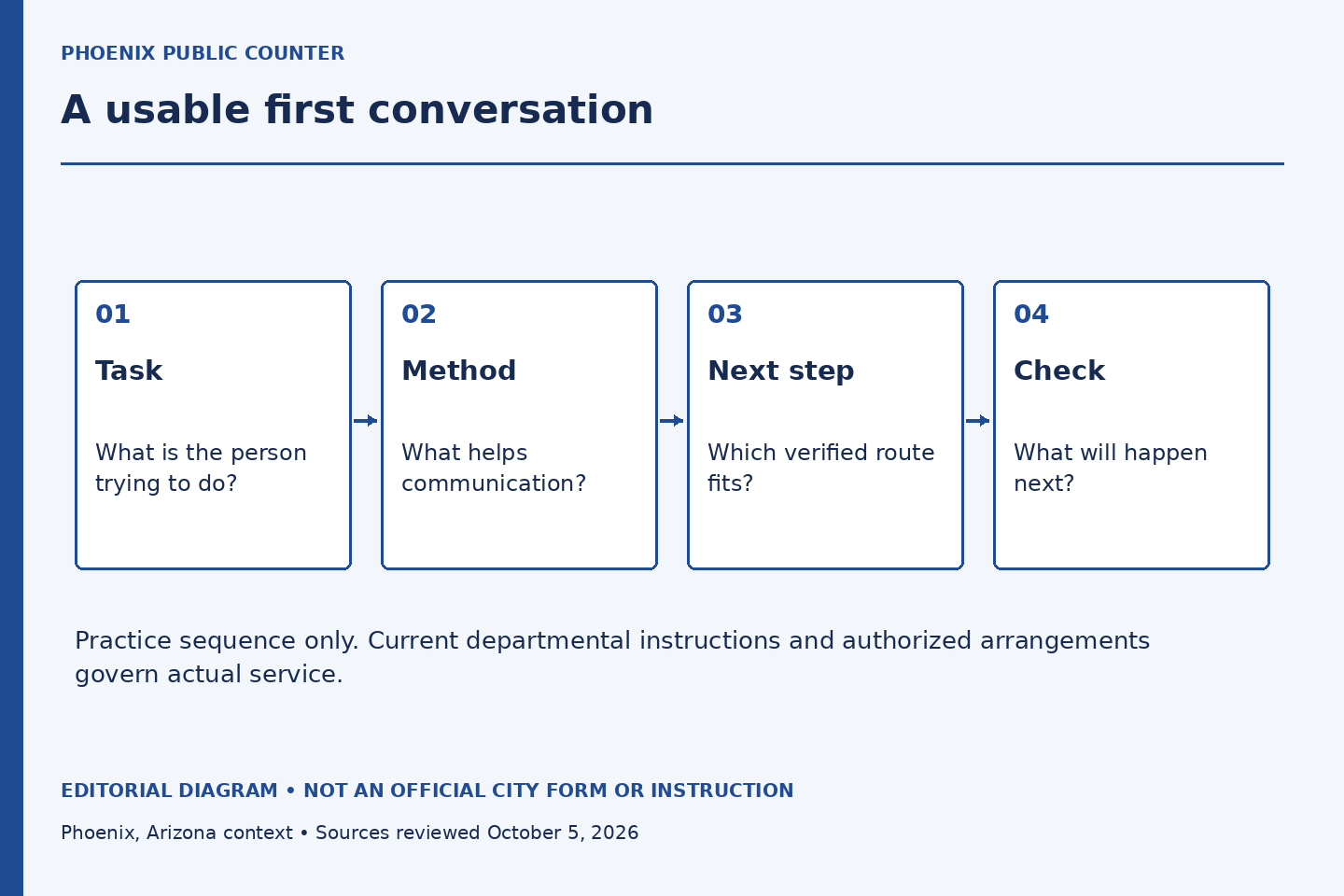
In a fictional practice case, someone arrives with a recreation flyer and asks where to sign. The employee first clarifies which activity and session the person means. That prevents a helpful-looking explanation from sending them toward the wrong program. The exercise is not a script that every department must use; it demonstrates why task clarification precedes detailed instructions.
Offer a communication choice without diagnosing
A person may prefer written instructions, a quieter exchange, an accessible format or language assistance. Ask what would help with the conversation rather than asking for a diagnosis or making the person explain private circumstances in a public queue. Follow the department's process for arranging assistance and obtaining any information it legitimately needs.
Do not assume that one visible feature tells you the whole need. A person using a mobility device may not need help with communication; a person who appears comfortable speaking may still need an alternative format. The practice goal is to make an offer usable and respectful, then listen to the answer.
Explain one step before adding the next
A long list can overwhelm both the resident and the employee. Identify the immediate next step, its purpose and the official place to complete it. Then check whether the explanation was clear. If the task has several stages, distinguish what can happen now from what requires another office or a later response.
Use everyday words while preserving any term the person will actually see on the form or website. An explanation that replaces every official label can become hard to follow when the resident reaches the real interface. Say the plain-language meaning and the official label together where that helps navigation.
Keep the assistance boundary visible
Helping someone understand a process does not automatically authorize an employee to make the decision, sign for the person or handle their credentials. If a request moves beyond the employee's role, explain the boundary and identify the authorized next route. Avoid a blunt refusal that leaves the resident to reconstruct the service map alone.
For example, a fictional resident asks a front-desk worker to decide whether a document proves eligibility. The worker can identify the published requirement and the office that reviews it, while leaving the determination to that office. The conversation remains helpful because the next action is concrete and the limitation is honest.
Check the next step without testing the person
Instead of “Do you understand?”, invite a practical confirmation: “Which step will you try next?” or “Would it help if I wrote down the department and page name?” The purpose is to evaluate the explanation, not the resident's intelligence or language ability. If the answer reveals confusion, revise the explanation without blame.
A peer coach can observe whether the staff member clarified the task, offered appropriate communication support, gave one usable next step and stayed within authority. Do not score the resident. The exercise should produce a better staff response, not a label about the person seeking service.
Close with a route the person can use
Before ending, confirm the destination, the kind of question it handles and any current instruction you have actually verified. Do not promise a response time or outcome that the source does not establish. If an arrangement is unresolved, say what still needs confirmation.
A good first conversation leaves the resident with less uncertainty about the next step and the employee with a clear understanding of their own role. It is a small piece of municipal craft, practiced through attention, accurate information and respect.
Sources and limits
Official public sources checked October 5, 2026. Examples and exercises are original editorial illustrations, not City records or instructions.
- Citywide Accessibility Resources
Published accessibility resources across departments. Individual accommodations and legal obligations require authorized review.
- Equal Opportunity Department Contact
Official contact route for accessibility and equal-opportunity questions. This publication is not that department.